What makes a good stranded chart
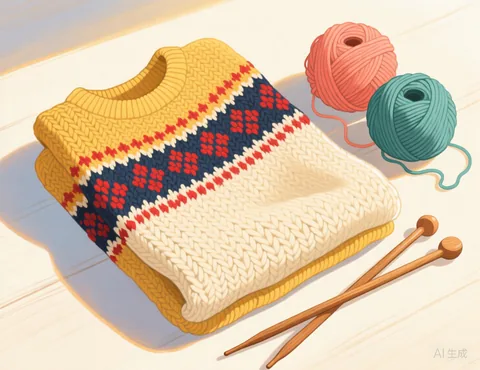
- Two colours per row. Traditional stranded knitting carries two colours at a time. With "At most 2 colours per row" on, any third colour in a row is replaced by the closest of the two main colours in that row.
- Short floats. When one colour is not used for many stitches, it floats loosely across the back. Long floats snag fingers and pucker the fabric. The chart outlines every stretch longer than your limit in red so you can catch the float or redraw the motif.
- Real proportions. Your gauge decides how tall the chart is, so circles stay round when knitted.
How to use it
- Choose a picture with simple, bold shapes and few colours, such as a heart, a star, a letter or a pixel art motif. A detailed photo turns into stripes once each row is limited to two colours.
- Enter your gauge from a swatch knitted in the round, since stranded gauge often differs from plain knitting.
- Set the longest float you are comfortable with. Five stitches is a common limit; many knitters catch floats every 3 to 5 stitches.
- Fix the red areas with the Brush, or accept them and catch the floats as you knit.
- Download the PDF with the chart and round by round colour counts.
Frequently asked questions
Is it really free?
Yes. There is no sign up, no watermark and no limit on how many patterns you make.
Do you upload or keep my photo?
No. Your picture is processed by your own browser on your own device. It is never sent to our server, so we never see it.
Which pictures work best?
Simple pictures with clear shapes and strong contrast: a pet against a plain background, a logo you own, a cartoon, pixel art or a bold portrait. Busy scenes with lots of small details tend to turn into noisy charts. Crop the picture closely around the subject before you upload it.
Can I match the colours to my yarn?
Yes. Click any colour swatch under the chart and pick the colour of the yarn you actually have. You can also merge two colours that are too similar to tell apart.
Can I use any picture I find online?
Only use pictures you have the right to use: your own photos, or images whose licence allows it. Characters, logos and artwork usually belong to someone else.
Can rows change colours from one row to the next?
Yes. Each row may use a different pair of colours. The limit only applies within a single row.
Does it work for flat knitting?
Yes. Choose "Flat, back and forth" and the instructions alternate direction for right side and wrong side rows.